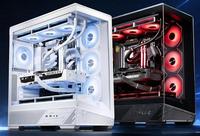
Choosing the right custom computer configuration for gaming starts with understanding your priorities & budget. The decision affects frame rates, visual settings & overall gaming experience. A thoughtful approach prevents overspending on unnecessary components while ensuring you get the performance you need.
Define Your Target Performance
Begin by identifying your resolution & refresh rate goals. Gaming at 1080p 144Hz requires different hardware than 1440p 165Hz or 4K 60fps. Each target demands specific GPU & CPU combinations. If you play competitive shooters, prioritize high refresh rates over visual fidelity. For single-player story games, higher resolution with lower frame rates feels acceptable. Build your dream setup today with our PC builder – start now!
GPU selection drives this decision most. An RTX 4070 handles 1440p 144Hz consistently, while a 4080 targets 4K gaming. The RTX 4060 Ti suffices for 1080p high-refresh play. AMD’s RX 7700 XT & 7900 XT offer similar performance tiers at competitive prices.
Balance Your CPU and GPU
A common mistake involves mismatched hardware. Pairing a high-end RTX 4090 with a budget Ryzen 5 5500 creates bottlenecking where the CPU can’t feed the GPU data fast enough. For a custom computer configuration, match components appropriately: pair RTX 4070-4080 cards with Ryzen 7 7700X or Intel i7-13700K. Budget builds can use Ryzen 5 7600X with RTX 4070.
This balance ensures your components work efficiently without wasting spending on either side.
Allocate Your Budget Strategically
In a custom computer configuration, prioritize component spending based on gaming impact. Invest 35-40% in the GPU, 15-20% in the CPU, 10% in motherboard, 5-8% in storage & 5-8% in cooling. The GPU determines frame rates most directly, so overspending there makes sense. Spending extra on a premium CPU doesn’t increase frames if the GPU can’t handle the load.
Storage can start modest with a 1TB NVMe drive-you can expand later. RAM at 32GB covers modern gaming without future regret.
Consider Thermals and Power
Adequate cooling prevents thermal throttling during long gaming sessions. Budget for a quality CPU cooler. Invest in a properly sized power supply-minimum 750W for mid-range setups, 850W for high-end configurations. Cheap power supplies degrade performance & risk component damage.
Plan for Upgrades
Choose a modern motherboard with upgrade headroom. LGA1700 sockets & AM5 platforms support multiple processor generations, letting you upgrade CPUs later without rebuilding.
Real-World Testing
Research benchmarks for your exact component combinations in games you play. Frame rates at your target resolution & settings matter more than specs on paper.
The best custom computer configuration aligns your budget, performance targets & upgrade plans. Rushing this decision often leads to regrets & wasted money.
Author Resource:
Jack Williams writes about latest PC, gaming laptops, workstations and desktop service stores. You can find more thoughts at favorite pc games blog.